Chat
Open WebUI, signed in as you, one click from a running machine.
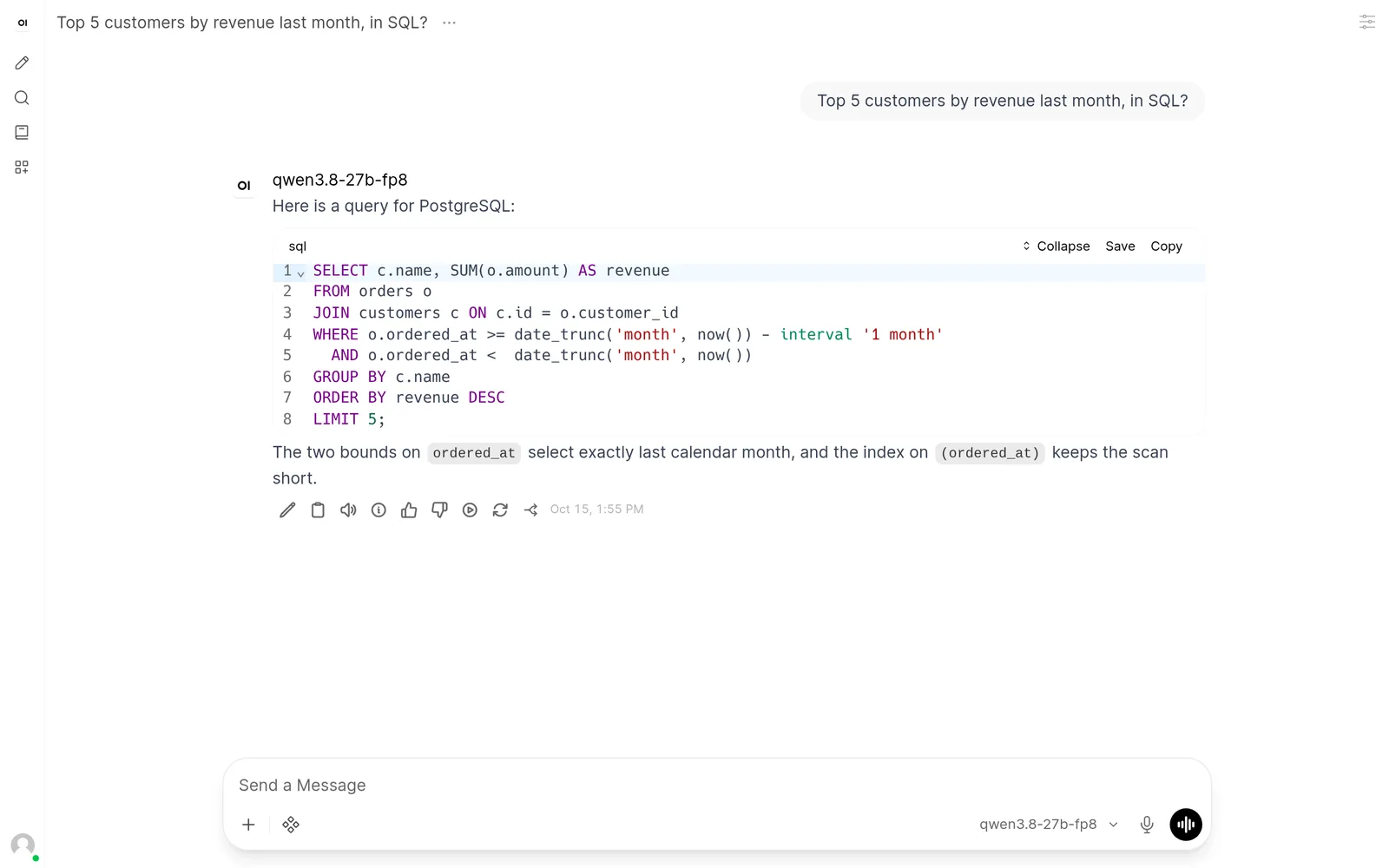
Pick a model and a GPU from a live marketplace. Get an OpenAI-compatible endpoint, a chat and a coding workspace on it.
Launch a modelBrowse live GPU offers without an account.
Traffic
GPU load
| Component | Usage | Provider rate | Provider cost | Account billed |
|---|---|---|---|---|
| GPU | 0.750 hours | $0.380/hour | $0.29 | $0.33 |
| Storage | 0.750 hours | $0.020/hour | $0.02 | $0.02 |
| Download | 30.9 GB | $0.00/GB | $0.00 | $0.00 |
6m 12s
+0sEndpoint ready
Up to 32 users · Smooth up to 1 user
| Users | Feels | First token p50 / p90 | Speed per user | Total output |
|---|---|---|---|---|
| 1 | Smooth | 0.2 / 0.3 s | 38 tok/s | 38 tok/s |
| 16 | Overloaded | 60 / 115 s | 38 tok/s | 38 tok/s |
| 32 | Overloaded | 124 / 236 s | 38 tok/s | 38 tok/s |
Check it with curl
curl https://inference.llm-launcher.com/v1/chat/completions \
  -H "Authorization: Bearer $LLM_SAAS_API_KEY" \
  -H "Content-Type: application/json" \
-d '{"model":"qwen3.8-27b-fp8","messages":[{"role":"user","content":"Hello"}]}'From a few cents an hour. Provider rate plus 15%, per started minute. Prepaid, no subscription.
| GPU | VRAM | Per hour |
|---|---|---|
| RTX 3060 | 12 GB | $0.07 |
| RTX 3090 | 24 GB | $0.19 |
| RTX A6000 | 48 GB | $0.40 |
| RTX 4090 | 24 GB | $0.51 |
| L40S | 48 GB | $0.64 |
| RTX 5090 | 32 GB | $0.73 |
| A100 SXM4 | 80 GB | $0.80 |
| H100 SXM | 80 GB | $2.93 |
| H200 | 141 GB | $4.34 |
| B200 | 192 GB | $8.13 |
Available offers
 12 GB total VRAM
 PL
 AMD Ryzen 5 5600X · 12 cores32 GB RAM
 ↓ 940 · ↑ 860 Mb/sTraffic not billed by this host24 GB total VRAMDEAMD Ryzen 9 5950X · 32 cores64 GB RAM↓ 2,400 · ↑ 1,800 Mb/sTraffic at $1.00 per TB192 GB total VRAMUSIntel Xeon Platinum 8570 · 56 cores512 GB RAM↓ 9,800 · ↑ 9,400 Mb/sTraffic not billed by this host24 GB total VRAMSEAMD EPYC 7543 · 32 cores128 GB RAM↓ 3,100 · ↑ 2,900 Mb/sTraffic at $4.00 per TB48 GB total VRAMROIntel Core i9-12900K · 24 cores64 GB RAM↓ 910 · ↑ 810 Mb/sTraffic not billed by this host80 GB total VRAMCAAMD EPYC 9354 · 64 cores256 GB RAM↓ 8,600 · ↑ 8,100 Mb/sTraffic not billed by this host48 GB total VRAMFIAMD EPYC 7302 · 32 cores128 GB RAM↓ 1,900 · ↑ 1,700 Mb/sTraffic at $9.00 per TB141 GB total VRAMUSIntel Xeon Platinum 8468 · 48 cores384 GB RAM↓ 9,200 · ↑ 8,800 Mb/sTraffic not billed by this host32 GB total VRAMFRAMD Ryzen 9 9950X · 32 cores96 GB RAM↓ 2,000 · ↑ 1,900 Mb/sTraffic at $1.00 per TB80 GB total VRAMNLAMD EPYC 7763 · 64 cores256 GB RAM↓ 5,400 · ↑ 5,100 Mb/sTraffic at $16.00 per TB48 GB total VRAMJPIntel Xeon Gold 6430 · 32 cores192 GB RAM↓ 4,200 · ↑ 3,900 Mb/sTraffic at $4.00 per TB
In the browser, or inside the tools you already use.
Open WebUI, signed in as you, one click from a running machine.
OpenCode in the browser, wired to the model you launched, editing its workspace.
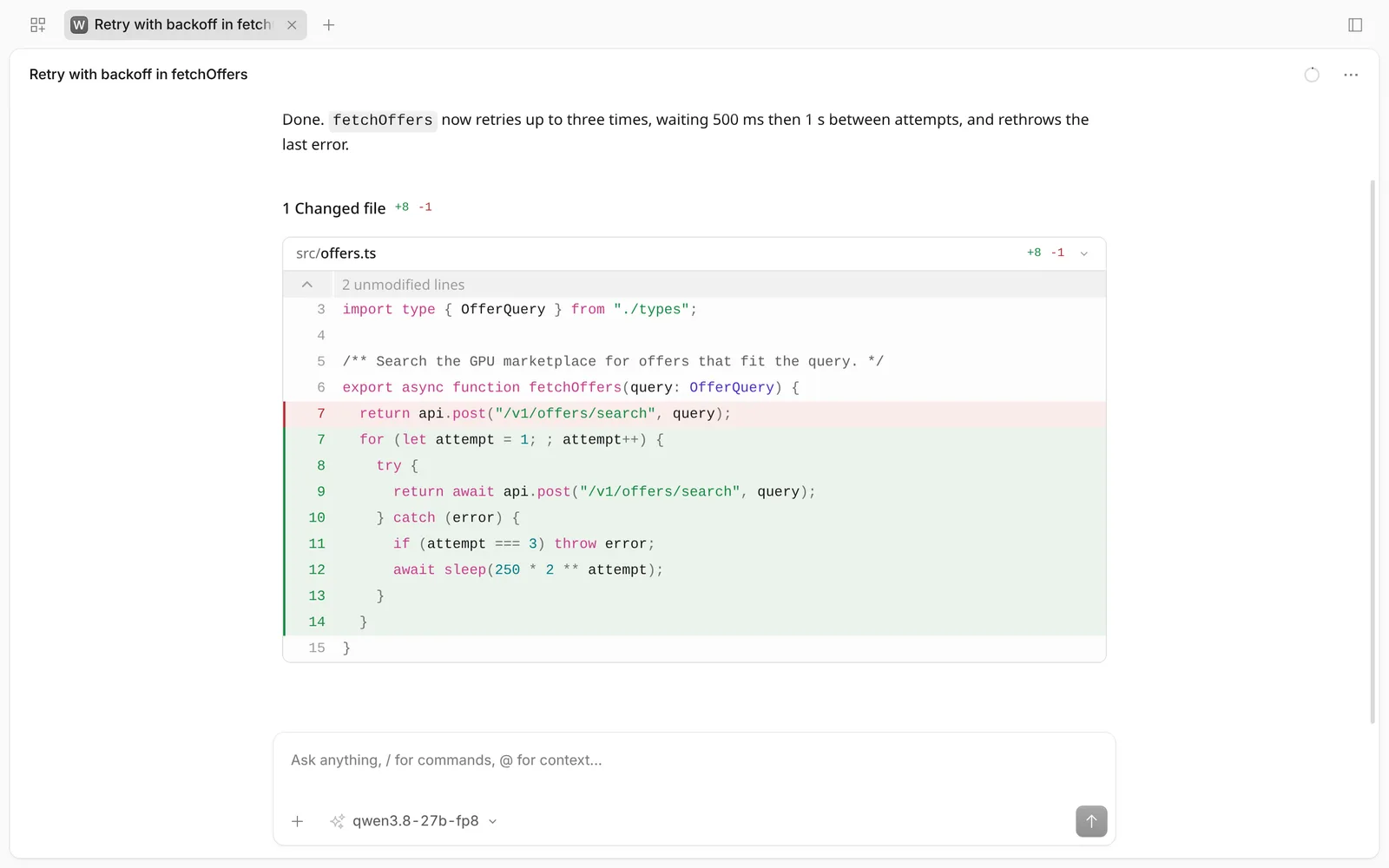
Your model speaks the OpenAI API. Plug it into your app, a local OpenCode, an agent framework or a script: point it at one URL, keep your code.
Billing starts when the machine is rented, so boot and model download are included, and stops when you destroy it. Every started minute is billed. A launch that fails is billed only for the minutes the machine was rented.
A curated catalog of open-weights Qwen models, from a 2B that fits a 12 GB card to a 27B in BF16 or FP8. Each one is sized against the GPU memory it needs, so you only see machines that fit.
Any GPU on a verified Vast.ai host with compute capability 8.0 or newer and a recent CUDA driver: from an RTX 3060 to the RTX 4090 and 5090, the A100, L40S, H100, H200 and B200. The launch page only lists the machines whose memory fits the model you pick.
Yes. Every model is served by vLLM behind an OpenAI-compatible /v1 endpoint. Point an OpenAI SDK, OpenCode or any client that accepts a base URL at it, with an API key from your account.
Usually a few minutes. The launch page shows each stage as it happens (reserve, rent, boot, connect, download, start engine) and you can destroy the machine at any of them.
Credit is prepaid and loaded by card. A machine whose owner has no credit left is stopped automatically, so your balance never goes negative.
No. Live GPU offers are open to everyone. Launching a model needs a free account and some credit.
From the Vast.ai marketplace. You choose the exact offer; it shows the provider's hourly rate, and a 15% commission is added to what you are billed.